Help with RSVP?

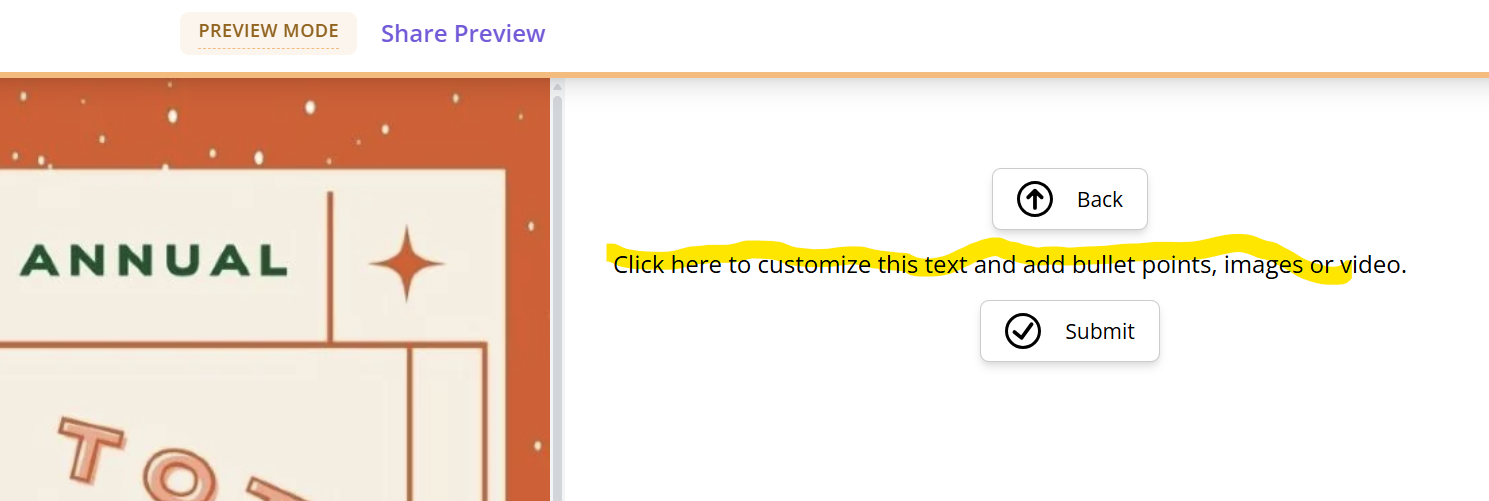
I'm testing out my settings - when I register to attend the event - i enter required info (name & email) and then select "continue" it takes me to another screen that contains a back button, default text, and a "submit" button.............how can i do away with that secondary screen - we just want them to submit instead of "continue" ..............if we can't do that - how do i get rid of the text? I to just blank out where I thought it was but it is still showing
-
Official comment

Hi Claudine,
Thanks for posting in the RSVPify Community! We're happy to help.
Based on your screenshot, it looks like you have an empty Text, Image & Video block on your RSVP form, which is why the default placeholder text is appearing on that additional screen.
If you don't need this block, you can remove it by following these steps:
-
Open your event and navigate to your Event Dashboard > Form Builder.
-
Locate the Text, Image & Video block.
-
Click the settings icon on the block and select Remove.
-
Confirm the removal.
You can also follow our step-by-step Help Center guide here:
How to add, edit or delete a form block?
We hope this helps! If you have any additional questions or would like assistance adjusting your form, you're always welcome to contact our Live Support team through the chat on our website.
-
Please sign in to leave a comment.
Comments
1 comment