Disable payment method saving

Please disable payment method saving for your event. I only want to process one-time $45 payments without saving payment methods or authorizing future charges.
-
Official comment

Hi Mark,
Thanks for reaching out! We reviewed your event setup and can confirm that your ticket is currently configured as a one-time $45 payment.This means guests are being charged $45 for their ticket purchase and are not being enrolled in any recurring payment through your event.
If you’re referring to a specific payment method saving option that appears during the checkout process, please let us know where you’re seeing it and we’ll be happy to clarify further.
-
The text displayed at the bottom of the payment page states: "By providing your card information, you allow The G Distinction to charge your card for future payments in accordance with their terms."
This is a one-time event with a single charge of $45. I do not want to store any payment card information, nor do I want guests to see language indicating that their payment details are being saved for future charges. How can this text be completely removed or disabled for this checkout process?
Mark Green | 267-251-7580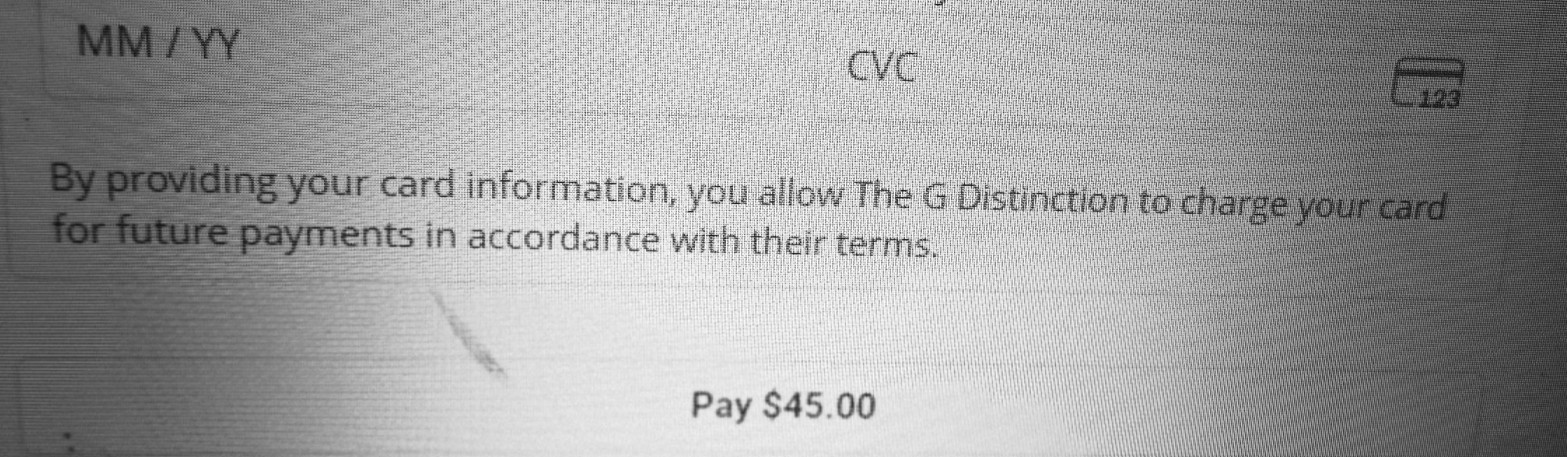 0
0 -
I need this issue solved asap so I can have my invites sent out.
Mark Green (The G Distinction)
0 -
Hi Mark,
Thanks for flagging this. We understand your concern, particularly since your event involves a one-time $45 payment and you don’t intend to charge attendees again in the future.
The language you’re seeing is added automatically by Stripe as part of the current checkout process and is not currently customizable or removable within RSVPify. It also cannot be disabled by the event organizer through the connected Stripe account.
Our team is aware of the concern around this wording, and we’re reviewing the current payment integration to see what options may be available going forward. I’ve also shared your feedback with our team as part of that review.
We understand that this messaging can create confusion for attendees at one-time events, and we appreciate you bringing it to our attention.
0
Please sign in to leave a comment.
Comments
4 comments