I CANNOT SEE MY RSVPs

Good evening.
I am unable to see my RSVP's as I have guests who told me they respomded. I even responded to my own event and could not see it. I even made a small upgrade since I thought i may not be at a level of purchase where I can see RSVPs but still nothing.
Help please. Thank you.
Medea Dudley
-
Official comment

Hi Medea,
Thanks for reaching out, happy to help!
Seems that you have an empty 'Meal preferences' block included in your Form builder, and that is the reason why neither you or your guests could submit the RSVPs.
To remove it, go to your Form builder > scroll down and locate this block > click on the 'gear'' icon > select 'remove'. Here's a screenshot for your reference: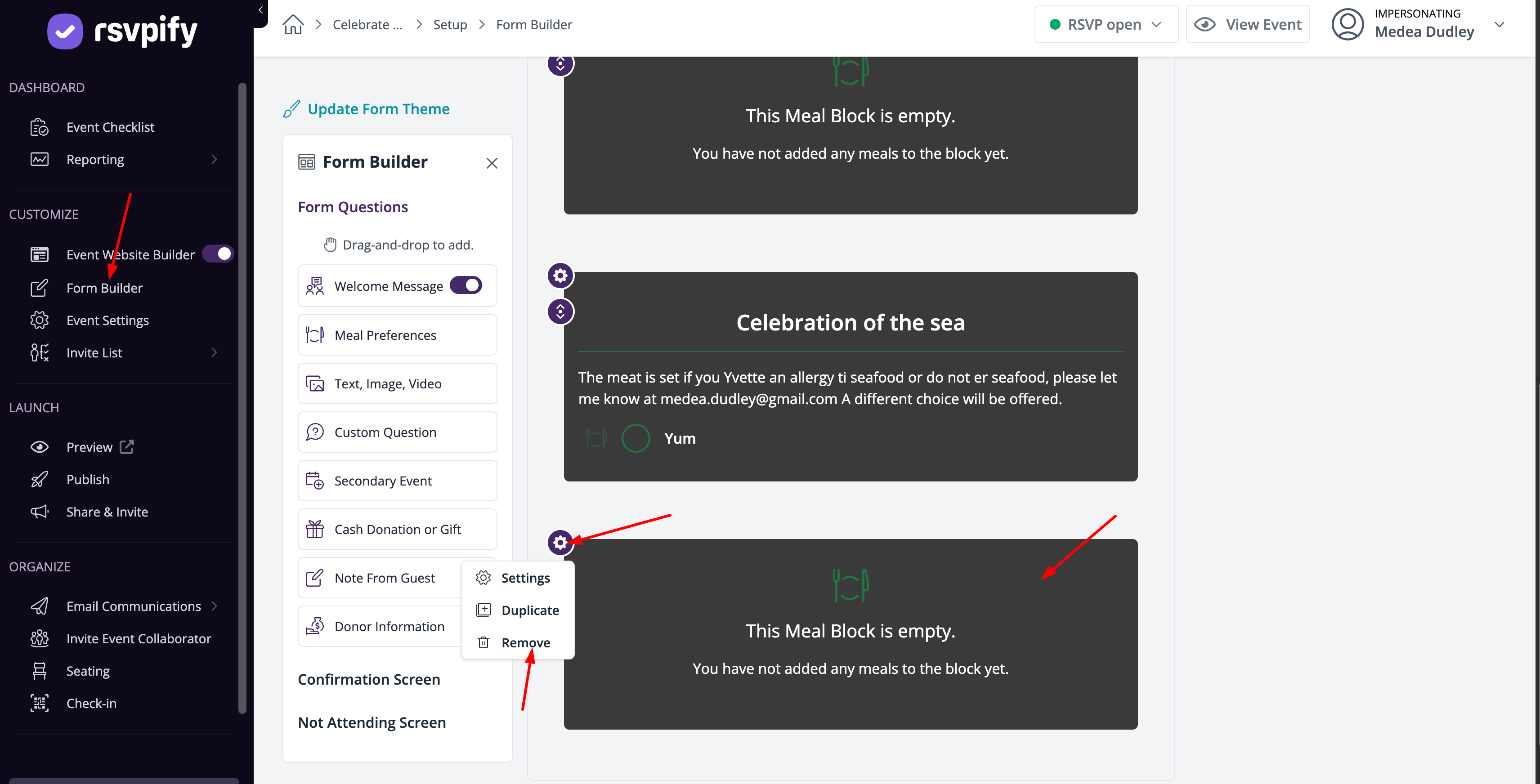
After doing this, make sure to republish the changes made. After that, ask your guests to submit the RSVPs again, and they should come through.
Hope this helps you out!Best,
The RSVPify Team
Please sign in to leave a comment.
Comments
1 comment