How do I delete test invitees

I see lots of articles on how to delete invitees but for some reason I cannot delete my test invitees... can someone tell me how??
0
-
Official comment

Hi Eric -
Thank you for reaching out. Happy to help!
You would need to go to the reporting> overview page on the left sidebar menu and then tick the box next to the guest you want to delete and delete them through the actions menu. Here's a screenshot for your reference:
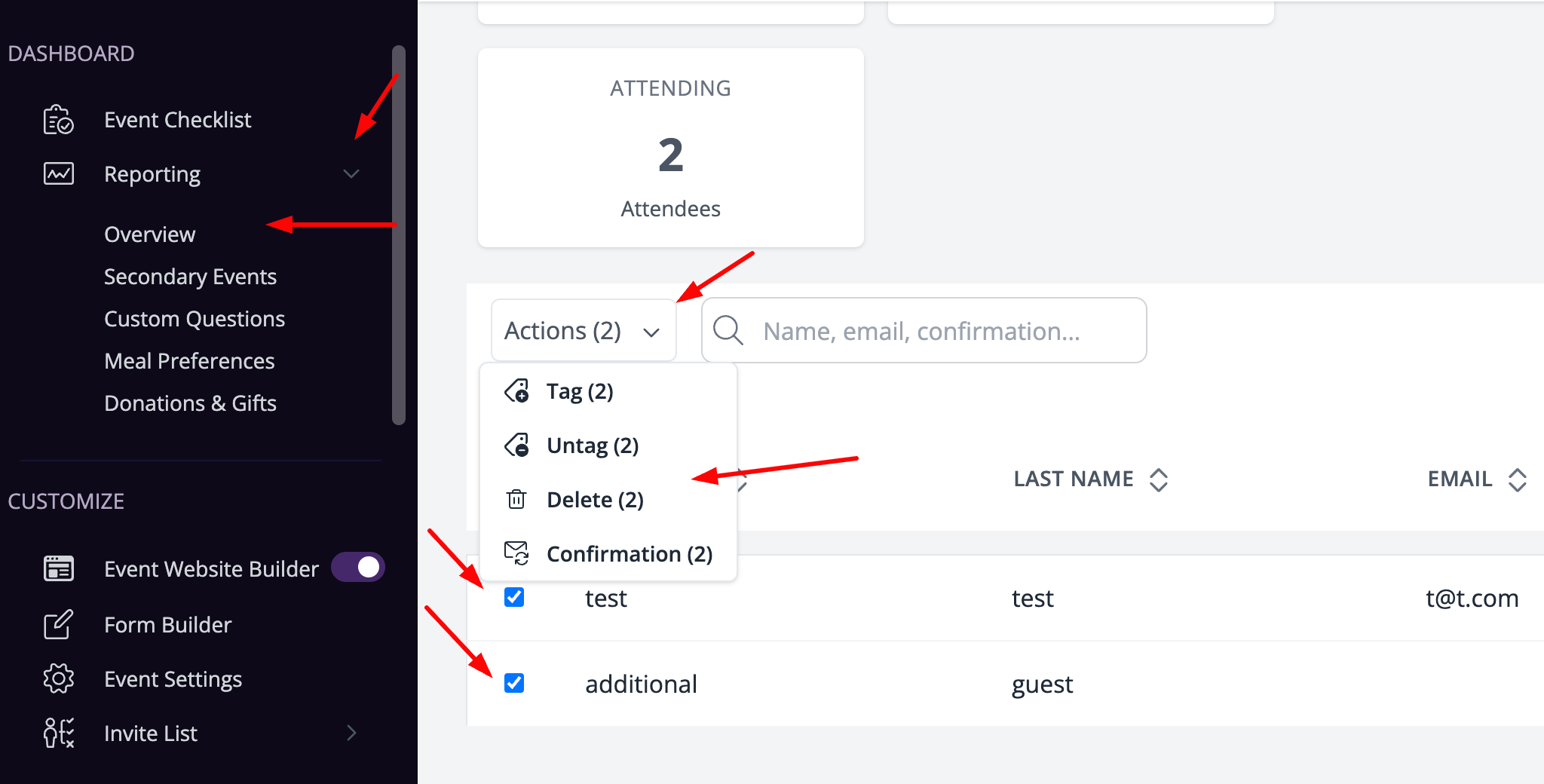
I hope this was helpful. If any other questions come up, feel free to reach out!
Best,
The RSVPify Team
Please sign in to leave a comment.
Comments
1 comment