My images are stretched out in slideshow when I open my event preview . How do I fix that?

-
Official comment

Hi Halle!
Thank you for reaching out. Happy to help
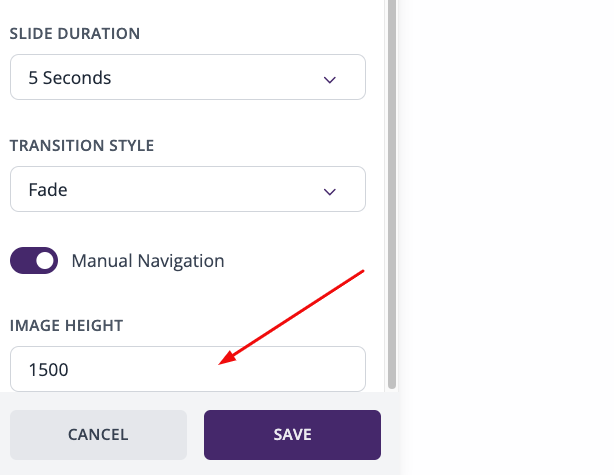
The images you add to the event website are immediately adjusted to the event website width (depending on the device you're viewing the event on), but you can adjust the image height manually to avoid images getting stretched out. To do that, go to Event Website Builder> image block settings and adjust the height:
I hope this was helpful. If any other questions come up, feel free to reach out!
Best,
The RSVPify Team -
But they are not adjusting for the device. They fit while opened on the computer but when the qr code is scanned on a phone and opened the images are stretched unrecognizable and if i fix the hight for the phone they are completely cut off on the computer
1 -
Hi Halle,
I see! Could you reach out to our support team via chat (bubble in the bottom right corner) so they can look at your specific image and provide recommendations?
We'll be happy to assist!
Best,
The RSVPify Team0 -

I have the same problem with the images stretched out on my iPhone, but on the desktop, they are ok
0
Please sign in to leave a comment.
Comments
4 comments