Can I rename tables in the seating chart?

When I export the seating chart I created columns are labeled with table 1, table 2, etc. If possible, I'd like to name the tables by the last names of the families that are assigned to those tables. Let me know if I can do that because I don't see that option now
-
Official comment

Hi Frank,
Great question! Yes, you can rename the tables in your seating chart -- instructions below:
1) In your seating chart, click on the three-dot menu next to your table name and select 'Edit Table':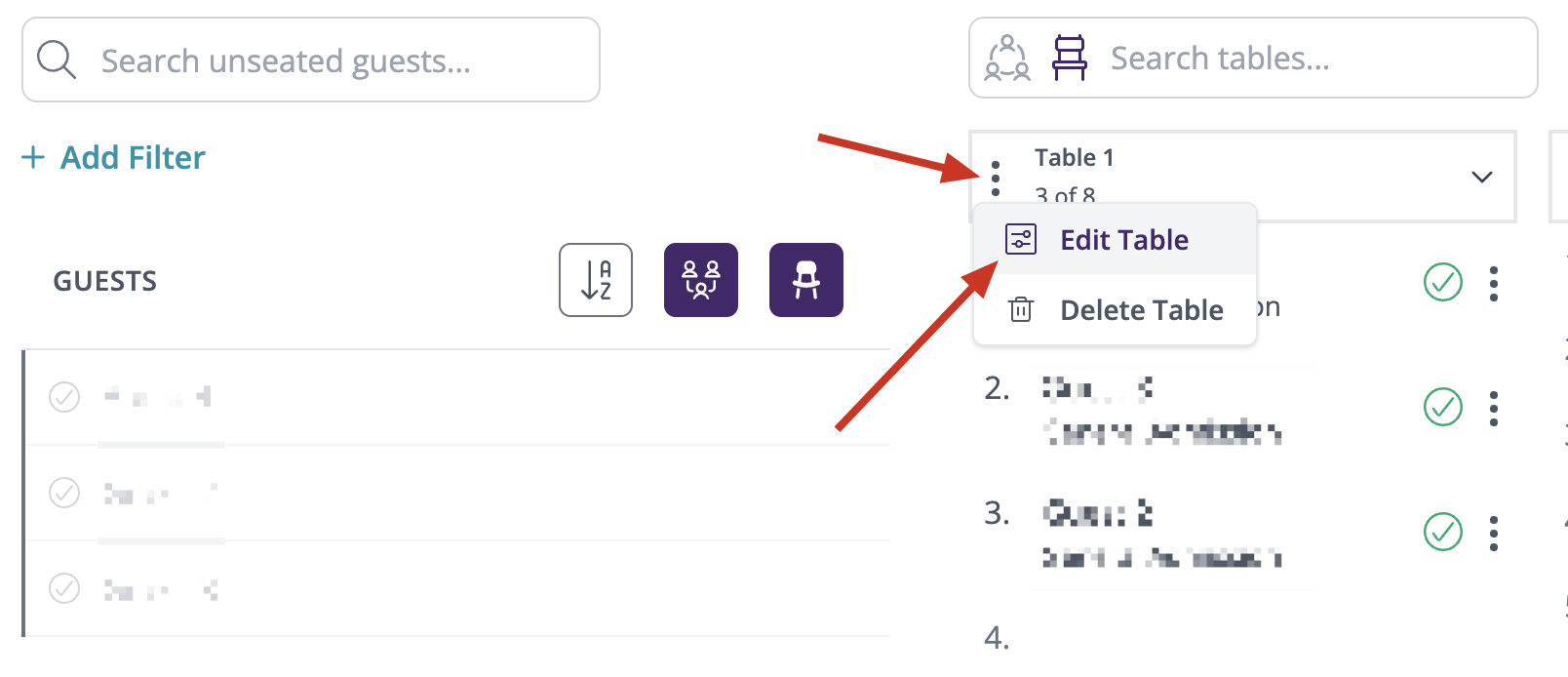
2) The settings menu slide-out will open on the right side of the screen. From there you can edit the table name, number of seats, and the table color. Optionally, you can also add a description of the table: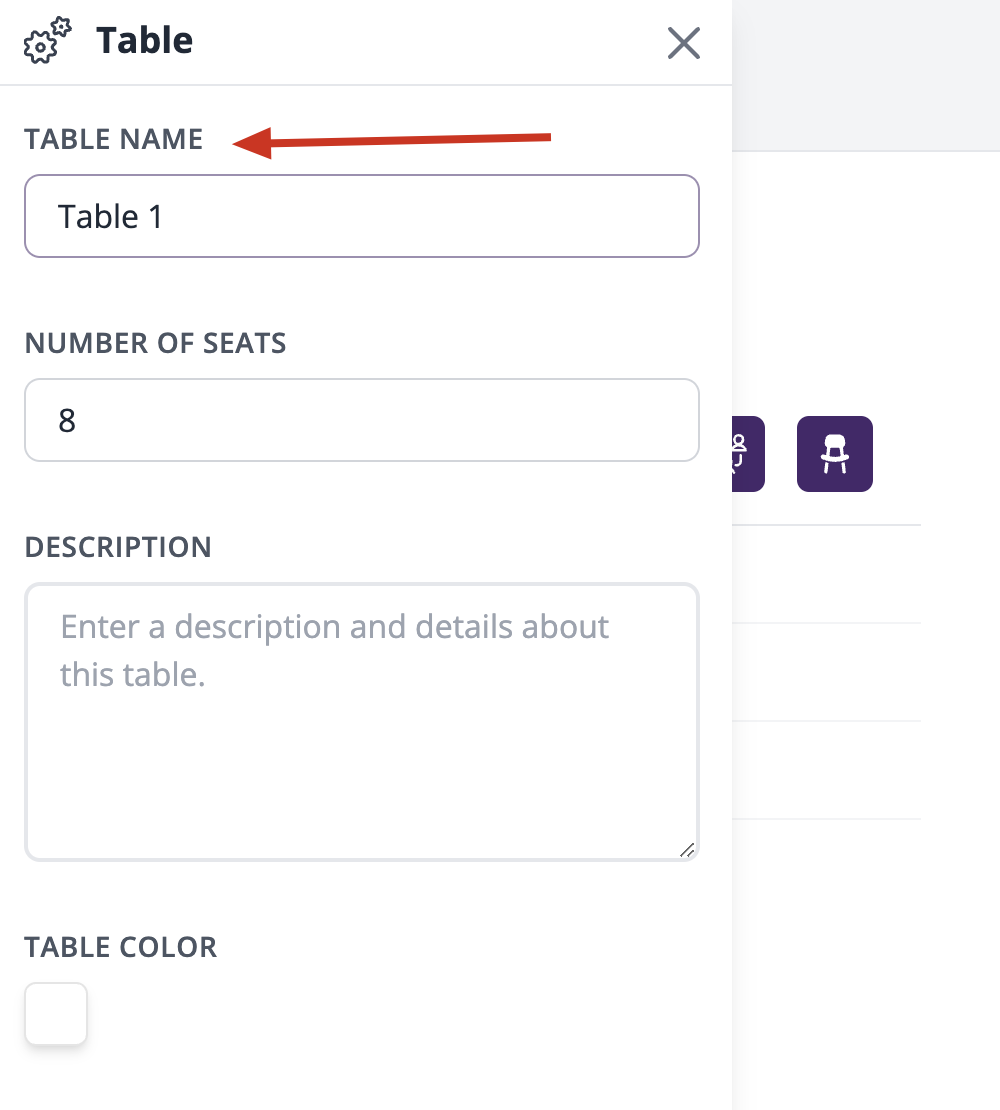
3) Save the changes!
Hope this helps but let us know if you have any additional questions. Thank you for being a part of our community!
Best,
Lamija
The RSVPify Team
Please sign in to leave a comment.
Comments
1 comment