Add registry details

How can I add registry details and can I collect donations through my event on rsvpify? Please advise
-
Official comment

Hi Alanna,
Happy to help and provide details for adding your registry details to your event!
First, navigate to your Event Website Builder - from there, under the 'Available Blocks' section locate the Gift Registry block and add it to your website: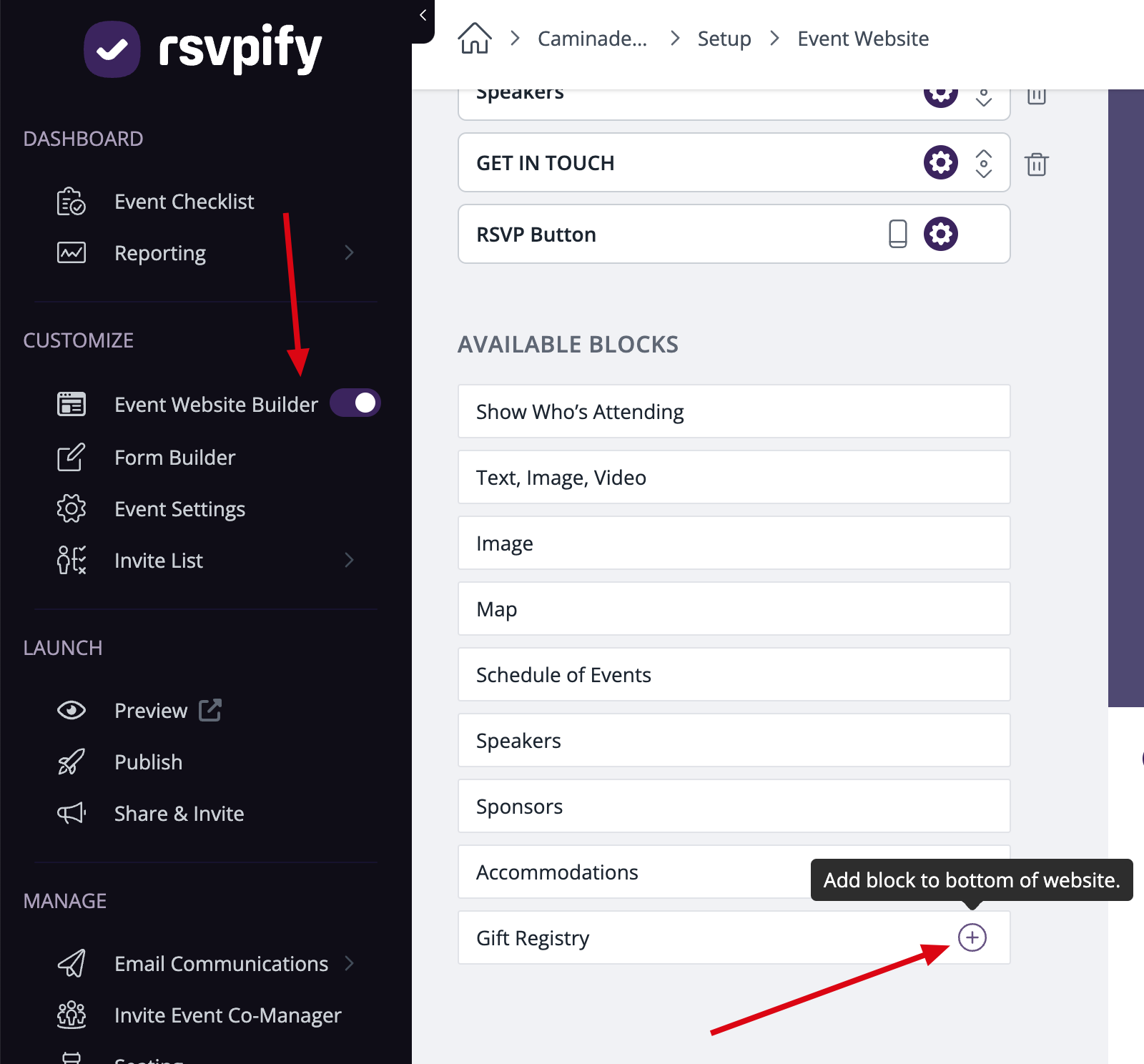
After you add this block to your website, you will be able to customize it and add the link to your registry: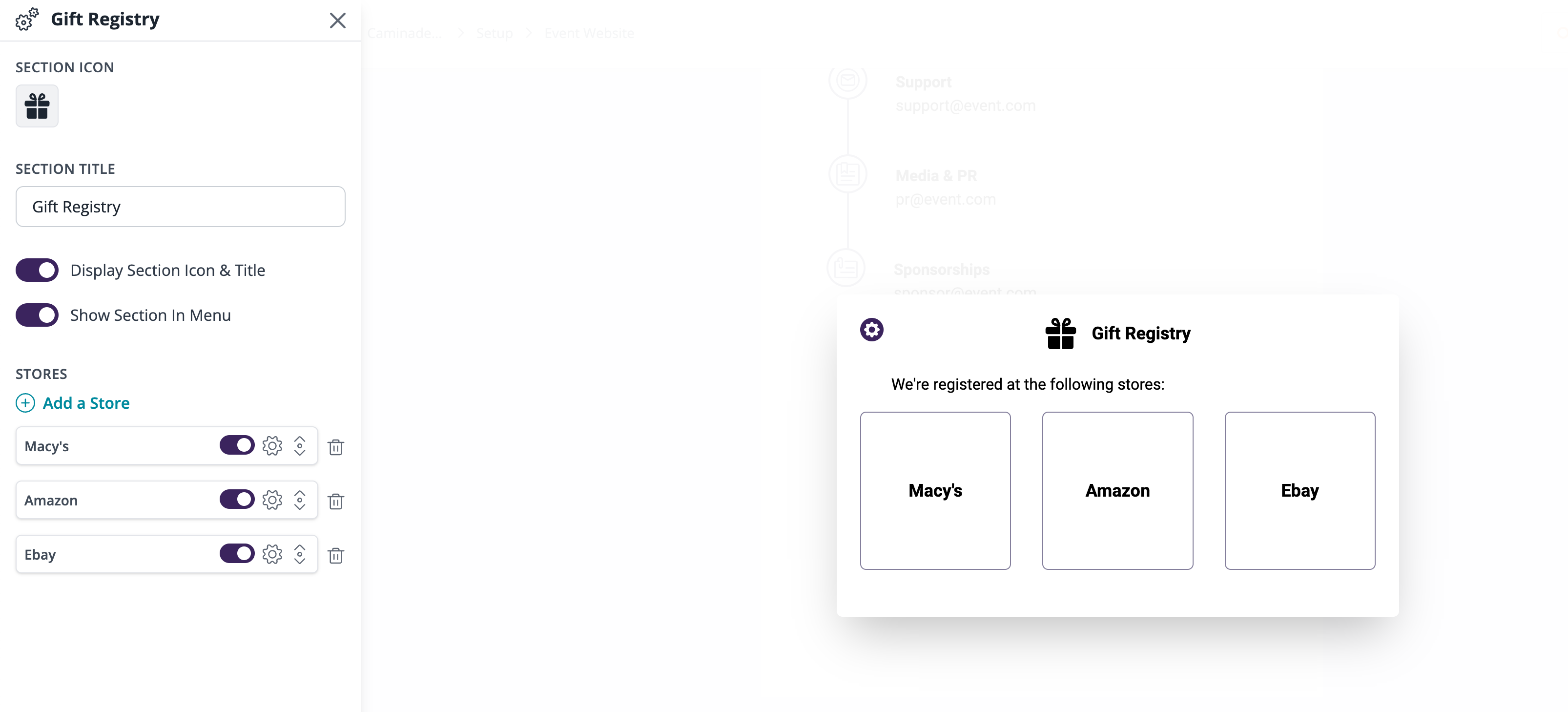
To start collecting donations through RSVPify you will need to add a 'donations' block to your RSVP form - head to Form Builder, locate the 'Cash Donation or Gift' block and add it to your form - after you add it to the form, customize it settings. You can find detailed instructions here! To process those donations, you will need to connect your Stripe account to your event - we'd recommend checking out this guide if you have any questions regarding Stripe.
Hope this helps but do not hesitate to reach out if you have any additional questions. Thank you for being a part of our Community!
Best,
Betty
The RSVPify Team
Please sign in to leave a comment.
Comments
1 comment