How to edit the after-response screen?

I want to edit the message my guests see when they submit their response. Right now it's too simple, and sounds robotic, is there a way to personalize it?
0
-

Hi Lukas,
Great question! Thanks for sharing it with the community!
You can actually edit both the attending screen and the not attending screen in Setup > Form Builder. Here's an image for additional clarification:
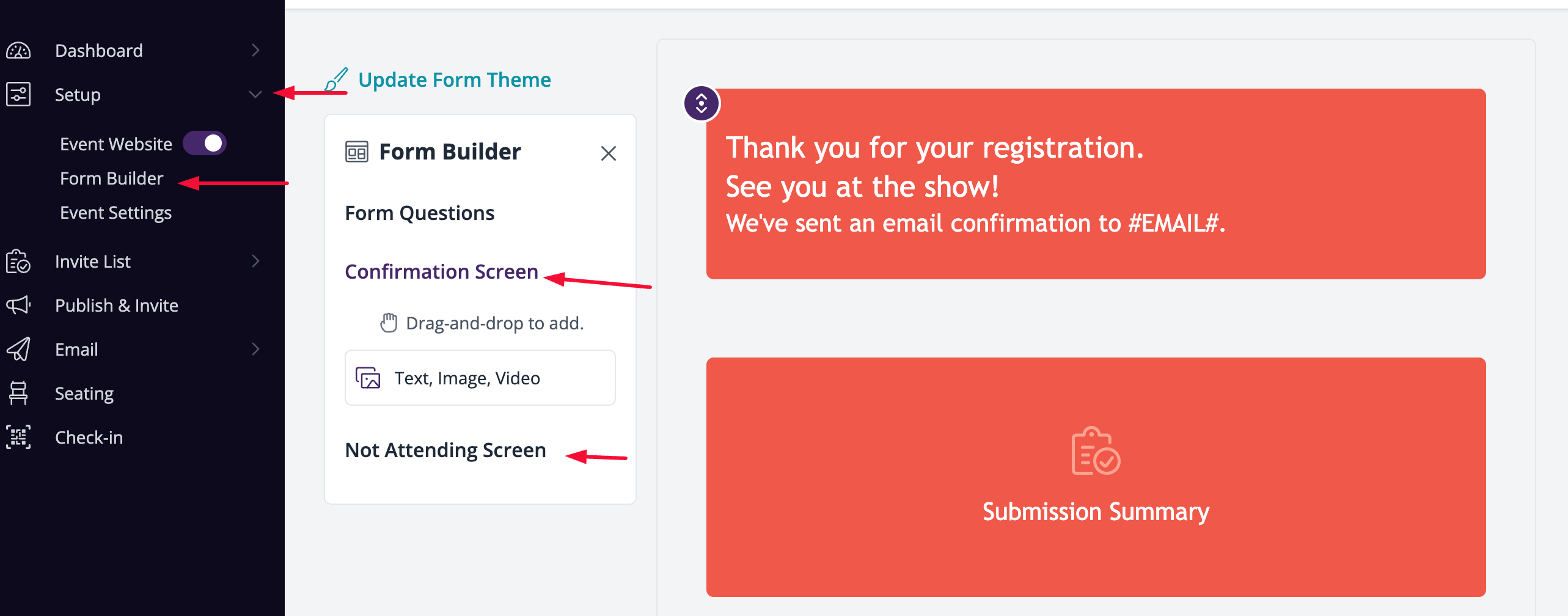
Once you make it to this page, you just need to click on the text in the top text block to make edits and adjust the message as you see fit.
I hope this helps, but let us know if you have any additional questions!
Best,
Emir
The RSVPify Team0
Please sign in to leave a comment.
Comments
1 comment