How can I close registrations for my event?

My event is in 2 months and I don't want people registering just yet, but I want to share the event information with them. Can I close/disable the event form/registration?
0
-

Hi Aditya!
While you cannot completely disable/hide the event form page, you can easily close the registrations for your event so your invitees cannot access the RSVP form and register. Once you publish your event, you can close the registrations by clicking on the arrow next to the "RSVP/Registration Open" option at the top of your event page and choose the "Closed" option from the dropdown menu. Here's a screenshot for your reference:
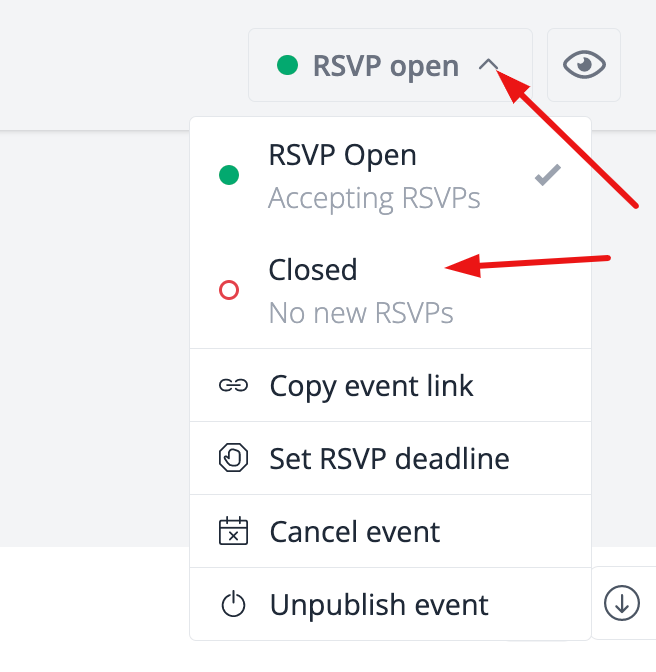
I hope this was helpful!
Best,
Julia
The RSVPify Team0
Please sign in to leave a comment.
Comments
1 comment