I can't get the cover block of my RSVP to look as nice on mobile as it does on desktop

I'm trying to edit the cover block for my company's retreat, but when I add it the text gets cut off on mobile. What can I do to prevent this from happening?
-

Hi Melanie,
Great question, thank you for sharing it with the community! Happy to help here!
There are several ways to improve the look of the cover block on mobile devices. The first would be to change its format in the cover block Settings from 'Cover & Zoom' to 'Fit & Scale':
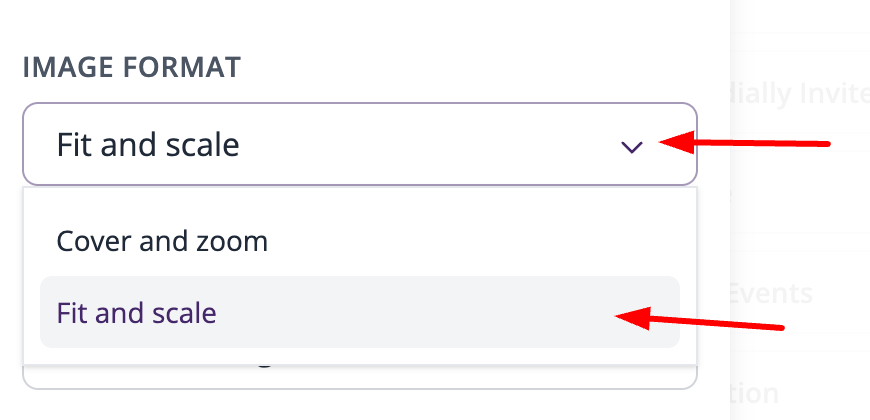
Apart from this, you can also fully disable the cover block, and use an image block in its place. Image blocks by default resize to fit screens of different sizes, so this might work for you. Finally, you could also refer to our design recommendations article which includes detailed descriptions of setting up a good cover block and also a reference image that can be used to maximize its visibility across different devices. Here is that article for your reference: Design Best Practices and Recommendations
I hope this helps, but let us know if you have any additional questions!
Best,
Emir
The RSVPify Team0
Please sign in to leave a comment.
Comments
1 comment