I can't get the colors on my RSVP website to align.

I'm designing the event website for my company's conference but I'm having trouble aligning the colors. Some blocks change their background color in the website theme settings, but others remain the same. How can I adjust the colors of these blocks so they all have the same background?
-

Hi Jacoby,
Thank you for sharing this question with the community! Happy to clarify!
The event website has different types of blocks, and each of them has its own unique settings. The design of some of the blocks (like the schedule of events) is driven by the settings that you make in Setup > Event Website > Update Website theme, which is why their background color changes when you change your theme settings.
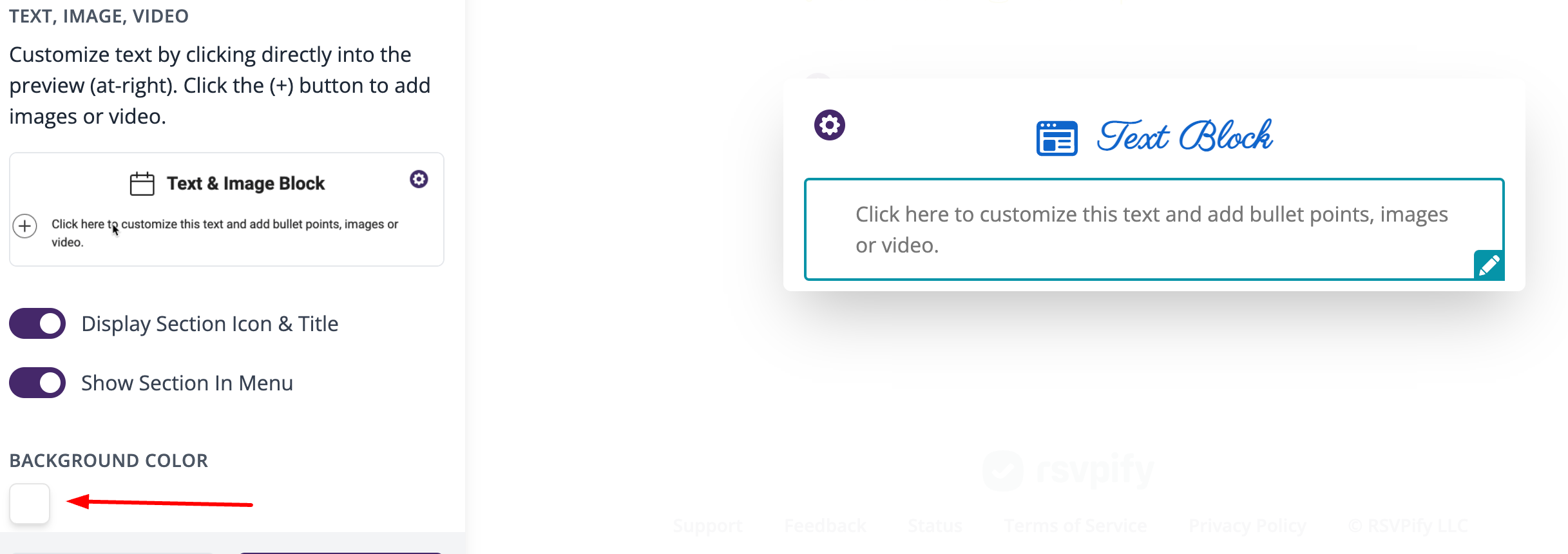
Other blocks (like text/image blocks) have their own background color settings (as shown in the image below), so to align these backgrounds with the other blocks, you would need to set them to the same color as you set in your theme settings:
I hope this helps, but let us know if you have any additional questions!
Best,
Emir
The RSVPify Team0
Please sign in to leave a comment.
Comments
1 comment